Blog
How to Make a Recipe Book People Will Cook From
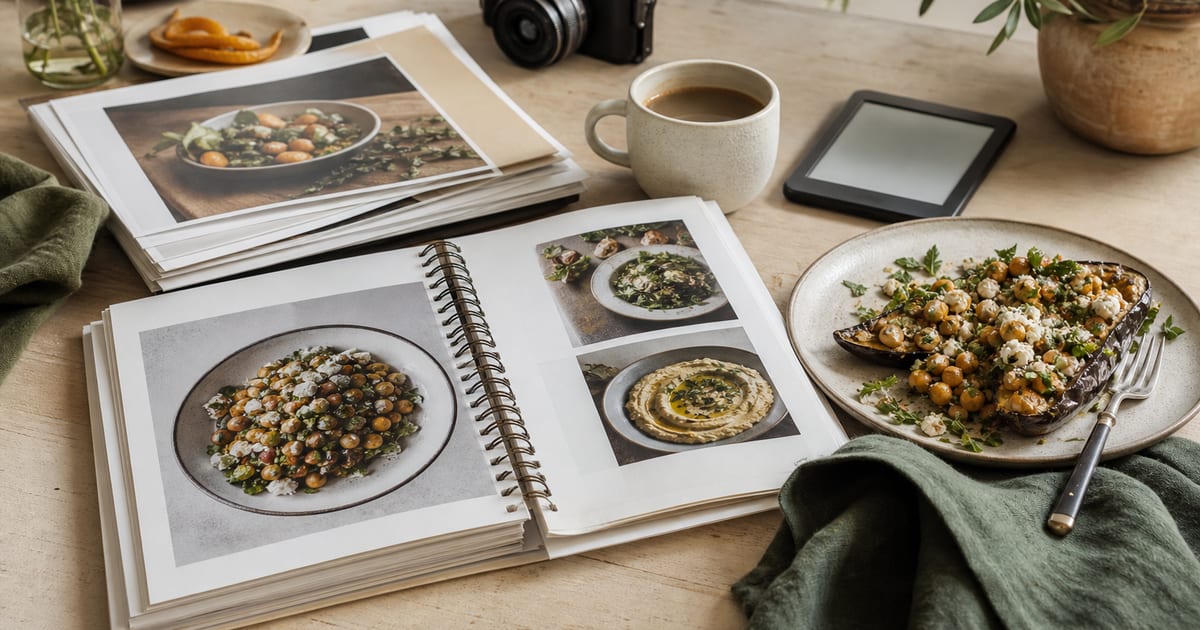
Learning how to make a recipe book starts with a practical decision: build a book that helps someone choose a dish, shop for it, and finish it successfully. A beautiful cover matters, yet readers return to a cookbook when the chapter order makes sense and every recipe answers their questions before they have to ask.
Plan the reading experience before laying out pages. That means defining the kind of cook you serve, setting a repeatable recipe template, and preparing the files differently for a reflowable ebook and a printed KDP paperback.
1. Define the cook and the book’s promise
Write one sentence that identifies the reader, the type of food, and the result they can expect. “Weeknight Mediterranean dinners in 35 minutes” gives you a much stronger editorial rule than “my favourite recipes.” It tells you which recipes belong, what level of detail is needed, and which photographs will help.
Set boundaries before collecting recipes. Decide the expected skill level, the measurement system, and whether ingredients must be widely available. If a recipe needs a specialist ingredient, explain where to find it or offer a tested substitute.
Create a consistent testing record
For every dish, record the final yield, pan size, oven temperature, and actual active time. Cook each recipe from your written draft at least once, ideally with a second person following the instructions without your explanations. Their questions reveal missing details such as when to preheat the oven or how finely to chop an onion.
2. How to make a recipe book with a clear reader journey
Choose the primary edition before you add page-dependent features. A paperback can use a designed two-page spread and a conventional page-number index; a Kindle edition needs linked navigation and must remain readable on changing screen sizes. See Which ebook format to write before committing to a fixed visual layout.
Plan front matter with purpose: a short introduction, a guide to measurements, and a page explaining symbols such as gluten-free or make-ahead. Put the full table of contents near the start. Readers should be able to reach a chapter in two taps in an ebook or one turn in print.
Keep sidebars useful. A substitution note, storage advice, or a make-ahead instruction earns its space when it prevents a failed dinner.
3. Arrange chapters in the order people choose meals
A recipe collection ordered only by the date you developed each dish makes browsing hard. Group recipes by the decision a cook is making: course, occasion, dietary need, or cooking method. Use one organizing logic throughout the book, then add cross-references where a recipe fits another need.
| Book type | Useful chapter order | Reader decision supported |
|---|---|---|
| Everyday meals | Breakfast, quick dinners, weekend dishes, sides | How much time do I have? |
| Baking | Basics, breads, cakes, cookies, celebration bakes | What do I want to bake? |
| Seasonal food | Spring, summer, autumn, winter | What is available now? |
| Diet-specific cooking | Pantry, breakfasts, mains, snacks, desserts | What can I eat today? |
| Technique-led book | Equipment, foundational methods, recipes by method | What can I make with this skill? |
Give chapters descriptive titles. “One-Pan Dinners” is easier to scan than “Chapter 4.” Within a chapter, place simpler or foundational recipes first, then build toward recipes that reuse a sauce, dough, or technique introduced earlier.
4. Build one recipe page that works every time
Readers should find key facts in the same place on every recipe. Put the title, a short description, yield, total time, and dietary information together at the top. List ingredients in the order they are used, with quantities checked against the method.
Write instructions as numbered actions. One step should describe one meaningful action, followed by a visible cue where useful: “Bake for 18 to 22 minutes, until the edges are firm and the centre no longer looks wet.” Avoid vague directions such as “cook until done.”
Details worth standardising
- Use either weight measurements or volume measurements as the primary system.
- Name equipment when its size affects the result, such as a 20 cm square tin.
- State resting, chilling, and cooling times separately from active preparation.
- Add storage instructions only after testing them.
Leave enough white space around the method. Dense instructions cause skipped steps, especially when a reader is cooking with flour-covered hands.
5. Plan food photographs around the recipe flow
Photograph the finished dish when appearance helps a reader choose it or confirms the intended result. For technical recipes, add a process image only when a written description cannot reliably show the right dough texture, fold, or consistency.
Keep image files organised from the beginning. A simple naming pattern such as 03-lemon-tart-finished.jpg and 03-lemon-tart-step-2.jpg makes layout revisions much safer. Keep the original high-resolution file as well as the cropped version used on the page.
Use photographs you created or properly licensed. If another person cooked, styled, or photographed the dish, keep the agreement that grants you publication rights. Match the food styling to the promise of the book: a family-dinner cookbook benefits from achievable portions and recognisable ingredients.
6. Add navigation, cross-references, and a useful index
After the final layout is stable, create an index that reflects how people search for food. Index recipe names and significant ingredients, then point each entry to the final printed page number. “Chicken” is more helpful when it leads to every relevant dish than when it appears only in a recipe title.
For a digital edition, add a linked table of contents and links from any cross-reference. If a sauce appears in several recipes, link each mention to its source recipe. Do a tap-through test on a phone or e-reader before publication.
Price decisions should account for the format, page count, and distribution terms. If you are comparing a Kindle edition with a print edition, the Kindle royalty calculator can help you model the ebook side without guessing.
7. Make your recipe book ready for KDP print
For a KDP paperback, export the interior as a print-ready PDF at the final trim size. Use high-resolution images, review margins near the binding edge, and account for bleed when a photograph or colour block reaches a page edge. The cover is a separate file, and its spine width depends on the final page count and paper choice.
| Pre-upload check | What to verify | Where it matters |
|---|---|---|
| Trim size | Interior PDF matches the selected size | All pages |
| Bleed | Edge-to-edge images extend beyond the trim area | Photo pages and cover |
| Margins | Text and page numbers sit safely from the gutter | Bound interior |
| Images | Final placed images remain sharp at print size | Food photography |
| Cover template | Spine calculation matches final page count | Full cover PDF |
KDP updates file requirements and print options, so confirm the current specifications in Amazon KDP Help before exporting your final files. Then follow Publish an ebook on Amazon KDP, step by step for the listing workflow and preview checks.
Turn the plan into a cookbook readers can use
Finish with a proof copy or a full-screen digital review. Cook from several pages as if you had never written them, check every page number after the last edit, and correct anything that slows a reader down. A cookbook earns its place in the kitchen through reliable repetition.
Frequently asked questions
How many recipes should a first recipe book include?
A focused first cookbook can work well with 30 to 50 thoroughly tested recipes. The right number depends on the book’s promise and the amount of supporting material, including photographs and technique pages.
Should every recipe have a photograph?
No, although every chapter benefits from enough images to establish its visual appeal and style. Prioritise finished-dish photographs for recipes that readers are likely to choose by appearance or find technically difficult.
What should be included on every recipe page?
Include the recipe title, yield, timing, ingredients, and numbered method. Add equipment details, storage guidance, and dietary notes when they affect the result or a reader’s planning.
Do I need an index in a recipe book?
An index is highly useful in a print cookbook, especially for ingredient searches. Create it after final pagination so every reference points to the correct page.
Can I publish a photo-heavy cookbook through KDP?
Yes, provided your interior and cover meet the current KDP file specifications. Order a proof copy to inspect image quality, colour, margins, and the readability of small text before approving publication.